If you’ve ever frantically searched for your Nintendo Switch charger five minutes before a road trip or panicked when your console refuses to power on, you’re not alone. The power adapter is one of those accessories you forget about, until it stops working.
Whether you’re dealing with a lost charger, planning a multi-Switch household, or trying to figure out if that $12 third-party option on Amazon is worth the risk, understanding your charging options matters. The Switch’s unique hybrid design means its power needs differ from typical handheld devices, and not every USB-C cable will cut it.
This guide breaks down everything from official adapter specs to safe third-party alternatives, troubleshooting tips, and travel considerations. Let’s get your Switch powered up properly.
Table of Contents
ToggleKey Takeaways
- The official Nintendo Switch power adapter (HAC-002) outputs 39W and supports all three Switch models with international voltage compatibility, making it the safest choice for both docked and handheld play.
- Third-party Nintendo Switch power adapter options from certified manufacturers like Anker and Insignia can work reliably when they have USB-IF certification and explicit Switch compatibility, but avoid cheap knockoffs that risk bricking your console.
- Common charging issues like slow charging or intermittent power often resolve through soft resets, USB-C port cleaning, or power setting adjustments before requiring adapter replacement.
- When traveling internationally, the official adapter’s 100-240V input eliminates the need for voltage converters—you only need a mechanical plug adapter for different outlet shapes.
- For multi-device travel or light packing, GaN-based third-party chargers from Anker or RAVPower provide 45-65W output in compact designs while maintaining safe Switch charging capabilities.
Understanding the Official Nintendo Switch AC Adapter
The official Nintendo Switch AC Adapter (model HAC-002) ships with every Switch console and serves as the primary charging solution for both docked and handheld play. Nintendo designed this adapter specifically to handle the console’s power delivery requirements across different usage scenarios.
Technical Specifications and Power Requirements
The official adapter outputs 39W of power with specific voltage ratings: 5V at 1.5A for basic charging and 15V at 2.6A when pushing maximum performance in docked mode. This dual-output capability is crucial, the Switch dynamically adjusts power draw based on whether it’s running in handheld mode (around 7-10W) or docked with high-performance graphics (up to 39W).
The adapter uses a USB-C connector on the console side and a standard three-prong AC plug for wall outlets. It supports 100-240V input voltage, making it compatible with international power grids without needing a voltage converter. The cable length measures approximately 5 feet, providing reasonable reach from outlet to entertainment center.
Unlike generic USB-C chargers, the official adapter implements Nintendo’s proprietary power delivery protocol. While it technically uses USB Power Delivery (USB-PD) standards, Nintendo tweaked the implementation, which is why some third-party chargers cause issues.
Compatibility Across Switch Models
All three Switch models, the original Switch (2017), Switch OLED (2021), and Switch Lite (2019), use the same HAC-002 adapter. This means one power adapter works across your entire Switch collection, which is convenient for households with multiple consoles.
The Switch Lite technically doesn’t need the full 39W output since it lacks docked mode, but it charges safely with the standard adapter. The OLED model, even though its larger 7-inch screen, maintains identical power requirements to the original. Nintendo didn’t change the charging infrastructure when they released the updated models in 2021 and 2023.
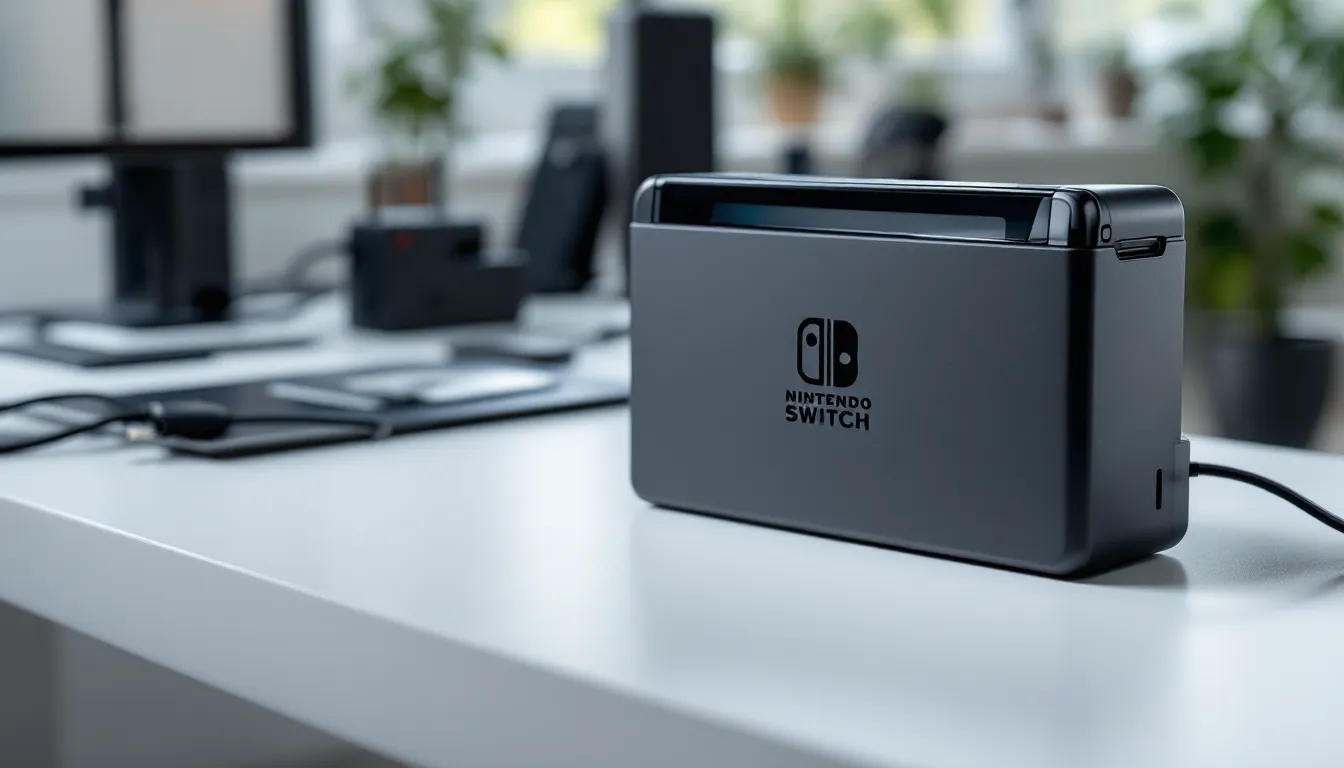
One important note: the original Switch dock also contains pass-through charging circuitry. You plug the AC adapter into the dock, and the dock charges the Switch. Some users mistakenly think the dock itself is a charger, it’s not. Remove the adapter from the dock, and you can charge your Switch directly in handheld mode with the same cable.
When You Need a Replacement Power Adapter
Most Switch owners eventually face adapter replacement, whether due to hardware failure, lifestyle changes, or simple misfortune. Knowing when to replace versus troubleshoot can save time and prevent damage.
Common Issues and Warning Signs
A failing adapter typically shows specific symptoms before dying completely. Intermittent charging, where your Switch charges inconsistently or only at certain cable angles, usually indicates internal wire damage rather than console problems. If you need to position the cable “just right” for charging to work, the adapter’s days are numbered.
Slow charging that takes 6+ hours to reach full battery in sleep mode suggests the adapter isn’t delivering proper wattage. The Switch should fully charge from empty in roughly 3 hours when turned off or in sleep mode with the official adapter.
Physical damage is obvious but often ignored. Frayed cables near the USB-C connector, exposed wiring, or a loose AC plug create fire hazards. Burn marks or melted plastic around the adapter brick mean immediate replacement, no exceptions. That weird electrical smell isn’t normal.
Some users report their adapter working fine for handheld charging but failing to output video when docked. This points to the adapter’s inability to provide the higher 15V output needed for docked performance, even if lower-power charging still functions.
Lost, Damaged, or Multiple Setup Scenarios
Practical life situations often drive replacement purchases. Setting up a permanent dock in multiple rooms, one in the living room, one in the bedroom, requires additional adapters unless you enjoy unplugging and moving hardware constantly. Many players keep a dedicated adapter in their travel bag rather than repeatedly packing and unpacking their primary charger.
Families with multiple Switch consoles face the adapter multiplication problem. While Switch systems can share one adapter through swapping, buying dedicated chargers for each console eliminates the “whose turn is it?” arguments. Kids are notoriously bad at returning borrowed chargers to their original locations.
Pet damage is surprisingly common. Dogs and cats love chewing cables, especially the softer sections near connectors. Replacement becomes mandatory after discovering your cat treated the charging cable as a midnight snack. Prevention involves cable management or bitter-tasting cable protectors, but once the damage is done, replacement is the only safe option.
Official vs. Third-Party Power Adapters: What’s the Difference?
The adapter market splits between Nintendo’s official $30-35 option and a flood of third-party alternatives ranging from $10 bargain-bin specials to $25 premium offerings. The gap isn’t just pricing, it’s engineering, safety, and reliability.
Safety Concerns with Third-Party Chargers
Nintendo’s proprietary USB-PD implementation has bricked Switch consoles when paired with incompatible third-party chargers, particularly during the 2018-2019 period shortly after launch. The issue stems from how certain chargers negotiate power delivery protocols with the Switch’s Nvidia Tegra X1 chip.
Cheap adapters often lack proper overcurrent protection and voltage regulation. When power delivery negotiation fails, some chargers push incorrect voltage to the console, potentially frying the charging circuit. Several documented cases involved third-party docks and chargers causing permanent damage, leading to expensive repairs or replacements.
The most dangerous scenario involves counterfeit adapters masquerading as official Nintendo products. These forgeries copy the external appearance but use substandard internal components. They lack proper certifications (UL, CE, FCC) and sometimes contain no safety circuitry whatsoever. Gaming hardware reviewers at PCMag have documented multiple instances of counterfeit chargers causing system failures.
Not all third-party options are disasters waiting to happen, but the risk-reward calculation matters. Saving $15-20 doesn’t justify a bricked $300-350 console. The safest approach involves either official adapters or verified third-party manufacturers with proven track records and proper certifications.
Verified Third-Party Options Worth Considering
Reputable third-party manufacturers exist, particularly those selling certified chargers designed specifically for Switch compatibility. Anker and Insignia (Best Buy’s house brand) produce USB-C chargers that explicitly list Switch support and carry out proper USB-PD protocols.
Look for adapters with these features:
- USB-IF certification (USB Implementers Forum)
- Explicit Switch compatibility listed in product specifications
- 39W or higher output with proper voltage ranges (5V/1.5A and 15V/2.6A)
- Overcurrent and overvoltage protection
- Positive reviews from verified Switch owners over 6+ months
The Anker PowerPort Atom PD 2 and similar models work reliably because they properly carry out USB-PD standards without cutting corners. They typically cost $20-30, splitting the difference between sketchy cheap adapters and official Nintendo pricing.
One compromise strategy: use the official adapter for docked play (where higher power delivery matters most) and a reputable third-party USB-C charger for handheld charging. The handheld scenario is more forgiving since power requirements drop significantly.
Best Nintendo Switch Power Adapters in 2026
As of March 2026, the adapter landscape has stabilized with clearer safety standards and more reliable third-party options than the early Switch era. Here’s what actually works.
Nintendo Official AC Adapter
The Nintendo Switch AC Adapter (HAC-002) remains the gold standard for obvious reasons. It’s the only charger guaranteed to work across all scenarios without risk, directly from the company that engineered the console.
Pros:
- Zero compatibility concerns
- Proper 39W output for docked and handheld use
- International voltage support (100-240V)
- Official warranty support
- Confirmed safe for long-term use
Cons:
- Higher price point ($29.99-34.99 retail)
- Bulkier design compared to modern GaN chargers
- Limited availability during supply chain issues
- Single USB-C port (can’t charge other devices simultaneously)
You can purchase the official adapter directly from Nintendo’s online store, major retailers like Target and Best Buy, or Amazon. Verify seller authenticity when buying from third-party marketplace sellers to avoid counterfeits.
Top-Rated Third-Party Alternatives
Several third-party options have proven reliable through extensive real-world testing by the gaming community:
Anker PowerPort III 65W Charger
- 65W total output with USB-C PD support
- Powers Switch in docked mode plus charges laptops
- Compact GaN technology reduces size by 40%
- $35-45 depending on sales
- Verified safe by multiple gaming hardware reviewers
Insignia USB-C 39W Wall Charger
- Best Buy’s house brand, designed specifically for Switch
- Matches official adapter specs exactly
- Usually $24.99, frequently on sale
- Good option for budget-conscious buyers wanting safety
UGREEN 65W USB-C Charger
- Dual-port design (two USB-C outputs)
- Charges Switch and phone/laptop simultaneously
- Proper USB-PD certification
- $28-32 price range
- Excellent for travelers managing multiple devices
Community recommendations from Nintendo Life forums consistently highlight these three brands as safe alternatives. The key differentiator is whether you need multi-device charging capability or want the simplest possible replacement.
How to Properly Charge Your Nintendo Switch
Understanding charging mechanics prevents common mistakes that reduce battery lifespan or cause charging issues. The Switch’s hybrid nature creates unique charging scenarios compared to traditional handhelds or consoles.
Docked Mode vs. Handheld Charging
Docked charging occurs when the Switch sits in its dock with the AC adapter plugged into the dock’s USB-C port. The dock passes power through to the console while simultaneously providing HDMI video output. The Switch draws higher power in docked mode (up to 39W) because it runs at higher GPU clock speeds for TV output.
The console continues charging even while playing demanding games docked. Battery health isn’t negatively impacted by leaving the Switch docked long-term, Nintendo designed the charging circuit to stop drawing power once the battery reaches 100%, switching to pass-through power.
Handheld charging connects the AC adapter directly to the Switch’s bottom USB-C port. Power draw drops to 7-10W typically, extending the adapter’s lifespan since it’s not operating at maximum output. You can play while charging in handheld mode, though charging speed slows during active gameplay versus sleep mode.
One common question: does docked mode damage battery life? No. The Switch uses lithium-ion battery management that prevents overcharging. Leaving it docked 24/7 won’t harm the battery under normal conditions, though extreme heat (over 95°F ambient temperature) can accelerate degradation regardless of charging method.
USB-C Charging and Power Bank Options
The Switch technically charges from any USB-C power source, but results vary wildly. Standard 5V USB-C phone chargers work for slow charging in sleep mode but can’t keep up with power draw during gameplay. A 5V/2A phone charger delivers only 10W, barely matching the Switch’s power consumption when running games.
USB Power Delivery (USB-PD) power banks offering 15V output provide legitimate on-the-go charging. Look for 18W minimum output, though 30W+ is ideal for charging while playing. Capacity matters too, a 20,000mAh power bank typically provides 2-3 full Switch charges depending on efficiency losses.
Recommended power bank specs:
- 18W minimum, 30W+ preferred
- USB-PD certified
- 15V output support specifically
- 15,000-25,000mAh capacity for multiple charges
- Built-in overcurrent protection
Popular gaming-focused power banks include the Anker PowerCore 20100 Nintendo Switch Edition and RAVPower 26800 PD. These specifically list Switch compatibility and carry out proper power negotiation protocols. Some users interested in Nintendo Switch Online services find power banks essential for extended multiplayer sessions during travel.
Troubleshooting Common Power Adapter Problems
When charging issues arise, systematic troubleshooting identifies whether the problem lies with the adapter, cable, dock, or console itself. Most issues have simple fixes before resorting to replacement purchases.
Switch Not Charging or Slow Charging
Start with the soft reset method: hold the power button for 15 seconds until the console fully powers down, wait 30 seconds, then power on. This clears temporary firmware glitches that sometimes interfere with charging recognition. It sounds too simple to work, but it resolves roughly 30% of charging complaints.
Check the USB-C port for debris. Pocket lint, dust, and small particles accumulate in the charging port over time, preventing proper contact. Use a flashlight to inspect the port, then carefully clean it with a wooden toothpick or compressed air. Never use metal objects that could damage the delicate pins.
Test the adapter on a different Switch if possible, or try a known-good adapter with your console. This isolates whether the adapter or console is the problem source. If multiple adapters fail with your Switch, the console’s charging circuit likely needs professional repair.
Sleep mode charging issues sometimes stem from power settings. Navigate to System Settings > Sleep Mode and verify “Enable USB-C Charging in Sleep Mode” isn’t accidentally disabled. Some users report this setting reverting after system updates.
Temperature extremes affect charging speed. The Switch reduces or halts charging when internal temperature exceeds safe limits (around 95°F/35°C). If your console feels hot and charges slowly, let it cool in a well-ventilated area before resuming charging.
Adapter Overheating and Cable Damage
Adapters warm up during use, that’s normal. But an adapter too hot to touch comfortably indicates problems. Excessive heat suggests internal component failure, inadequate ventilation, or electrical issues. Stop using overheating adapters immediately to prevent fire risk.
Ensure the adapter has proper airflow. Burying it under blankets, in closed entertainment centers, or covering it with other electronics traps heat. The adapter needs at least 2-3 inches of clearance on all sides for proper cooling.
Cable damage typically occurs at stress points, where the cable meets the USB-C connector or the adapter brick. Examine these areas for:
- Exposed copper wiring
- Cracked or split insulation
- Unusual kinks or bends
- Loose connector that wiggles excessively
Frayed cables cause intermittent charging and pose electrical hazards. The internal wires make and break contact as you move the cable, which explains why charging stops when you shift position.
Some third-party cables use thinner gauge wire that can’t handle the full 39W power delivery, causing overheating during docked play. Technology reviewers at TechRadar have documented this issue with several budget replacement cables. Stick with cables rated for at least 60W USB-PD to ensure adequate wire gauge.
Travel Tips: Using Your Switch Power Adapter Abroad
The Switch’s portability makes it a natural travel companion, but international charging requires understanding voltage compatibility and practical packing strategies.
Voltage Compatibility and International Use
The official Nintendo Switch AC adapter supports 100-240V input at 50/60Hz, covering essentially every country’s electrical grid. You don’t need a voltage converter when traveling internationally, the adapter automatically adjusts to local voltage.
What you do need is a plug adapter to match the physical outlet shape. The US/Japan Switch adapter uses Type A/B plugs (two or three flat prongs). Traveling to Europe requires a Type C/E/F adapter: UK needs Type G: Australia needs Type I. These adapters only change the physical plug shape, not voltage, they’re purely mechanical.
Purchase a universal travel adapter with USB ports built in. This covers plug compatibility while adding extra USB-A charging for phones, wireless controllers, and other devices. Quality universal adapters cost $15-25 and prove invaluable for frequent travelers.
One gotcha: some countries use different outlet standards even within their borders. Italy, for example, uses both Type C and Type L. Research your specific destination’s outlet types before departure.
Compact Travel Charger Recommendations
The official adapter’s bulk becomes annoying when packing light. Modern GaN (Gallium Nitride) chargers deliver equivalent power in packages 40-50% smaller than traditional silicon-based adapters.
Top travel charger picks:
Anker PowerPort Atom III Slim
- 45W USB-PD output (sufficient for Switch)
- Ultra-thin design slides into laptop sleeves
- Foldable plug prevents bag damage
- $30-35
- Powers Switch plus one USB-A device
RAVPower Pioneer 65W GaN Charger
- 65W total across two USB-C ports
- Charges Switch and laptop simultaneously
- Integrated foldable plug
- $35-40
- Best for digital nomads with multiple devices
Baseus 65W GaN Charger
- Budget option at $25-28
- Three ports (2x USB-C, 1x USB-A)
- Slightly larger but maximizes device coverage
- Good for family travel with multiple Switches
Pack a short USB-C cable (3 feet) specifically for travel. The official adapter’s 5-foot cable takes unnecessary space. Anker and UGREEN make compact, durable USB-C cables rated for 60W+ power delivery.
Consider a portable power bank for flights and long transit where outlets aren’t accessible. The Switch’s 4310mAh battery (13.6Wh on OLED model) drains in 3-6 hours depending on game intensity. A 20,000mAh power bank provides roughly 2.5 full charges, covering most travel days.
Conclusion
The Nintendo Switch power adapter might seem like a straightforward accessory, but understanding its specifications, compatibility, and proper usage prevents frustration and protects your investment. Whether you’re replacing a damaged adapter, setting up multiple charging stations, or preparing for international travel, knowing the difference between safe options and risky shortcuts matters.
Stick with the official adapter when possible, especially for docked play. If budget or convenience drives you toward third-party options, prioritize certified chargers from reputable manufacturers over tempting cheap alternatives. Your Switch’s charging circuit isn’t user-repairable, and the cost difference between quality adapters and potential console replacement isn’t worth the gamble.
Most charging issues resolve through simple troubleshooting, cleaning ports, checking cables, or adjusting power settings. When actual hardware failure occurs, replace promptly rather than limping along with intermittent charging. Your gaming sessions shouldn’t revolve around finding the magic cable angle that triggers charging.
The Switch’s hybrid flexibility depends on reliable power delivery. Get the charging situation sorted properly, and you can focus on what matters: actually playing your games.