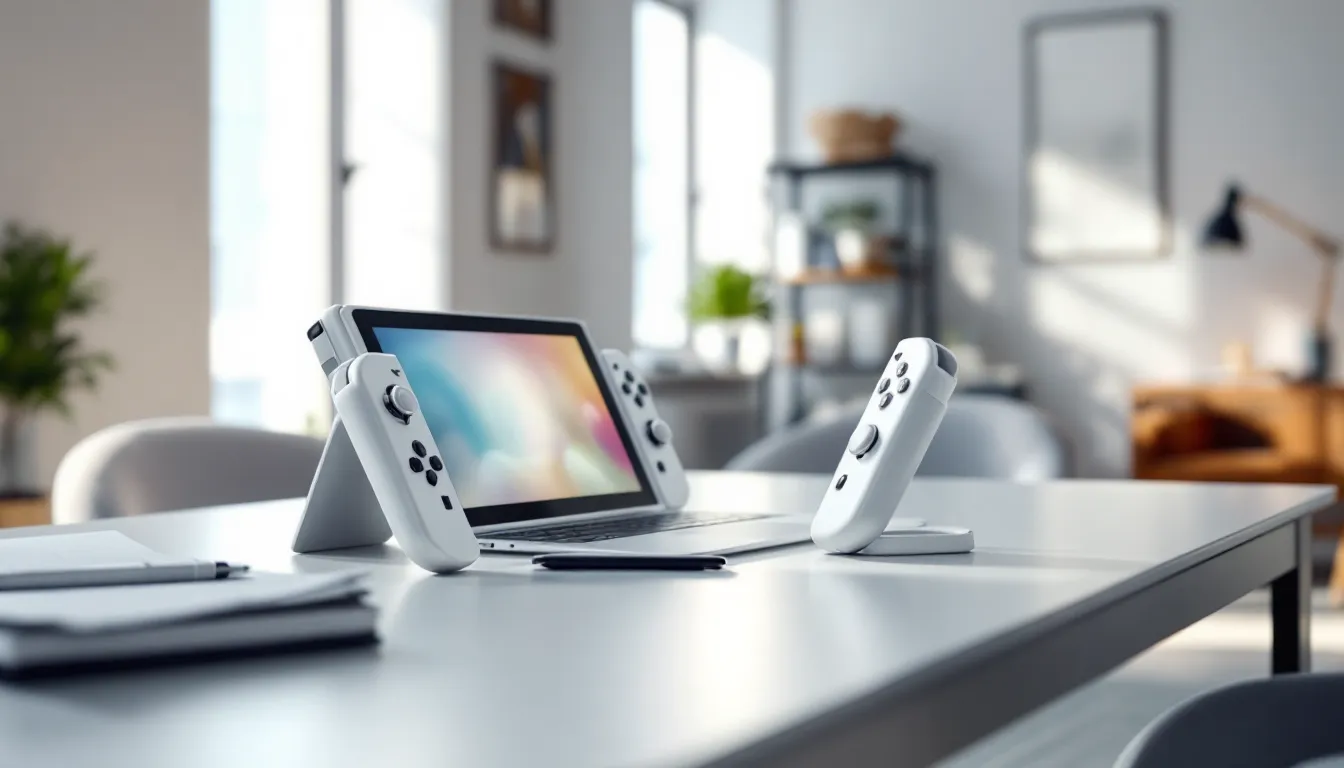
The Nintendo Switch OLED hit shelves in October 2021, and five years later, the used market is thriving. With new units still commanding a premium price and the successor to the Switch looming on the horizon, buying a used Nintendo Switch OLED in 2026 makes more sense than ever. The 7-inch vibrant OLED screen, enhanced audio, and upgraded kickstand remain compelling features, especially when you can snag one for a fraction of retail cost.
But not all used consoles are created equal. Joy-Con drift, battery degradation, and the occasional banned console lurk in the secondhand market, ready to ruin an otherwise great deal. Whether you’re a casual gamer looking to jump into Zelda or a competitive player hunting for a portable Smash Bros. setup, this guide will walk you through everything you need to know to score a used OLED model without getting burned.
Table of Contents
ToggleKey Takeaways
- Used Nintendo Switch OLED consoles typically cost $220–$280, offering $70–$130 in savings compared to the $349.99 retail price, making now an ideal time to buy before Nintendo’s next-gen console arrives.
- Inspect the OLED’s 7-inch screen carefully for dead pixels and burn-in, test Joy-Con drift through system calibration, verify battery health drains 10–15% during 30 minutes of gameplay, and confirm the USB-C port charges properly before purchasing.
- Avoid banned consoles by asking the seller to access the eShop in front of you, watch for counterfeits with suspiciously low prices and poor build quality, and use trusted platforms like eBay, Swappa, or Amazon Renewed for buyer protection.
- Negotiate 10–15% below the asking price by pointing out flaws and missing accessories, target listings active for 2+ weeks to find motivated sellers, and always meet in public for local sales.
- After purchase, perform a factory reset to remove the previous owner’s data, connect to Wi-Fi for system updates, and invest in a microSD card (256–512GB) since the 64GB internal storage fills quickly with digital games.
- The OLED model’s superior 7-inch display, enhanced audio, and upgraded kickstand justify the $40–$60 premium over standard Switch models and provide excellent value in the used market.
Why Buy a Used Nintendo Switch OLED in 2026?
Cost Savings vs. Buying New
As of March 2026, a brand-new Nintendo Switch OLED retails for $349.99 in the US. Used models typically range between $220 and $280, depending on condition and included accessories. That’s a savings of $70 to $130, enough to grab a couple of first-party titles or a pro controller.
The OLED model hasn’t seen a price drop since launch, and with Nintendo’s next-gen console expected later this year, official discounts remain unlikely. For budget-conscious gamers, the used market offers the best path to Nintendo’s ecosystem without very costly. Plus, the Switch library isn’t going anywhere: games like Tears of the Kingdom, Splatoon 3, and Mario Kart 8 Deluxe will remain playable and relevant for years.
Availability and Market Trends
Unlike the chaos of 2021-2022, when chip shortages made finding any Switch model a nightmare, availability in 2026 is solid. The used market is flooded with OLEDs as early adopters upgrade or pivot to other platforms. Facebook Marketplace, eBay, and local retailers like GameStop have steady inventory.
Interestingly, the approach of Nintendo’s next console has created a buyer’s market. Sellers are offloading their OLEDs to fund upgrades, driving prices down and giving buyers more negotiating power. According to data from hardware tracking sites, used OLED listings have increased by 22% since January 2026, while asking prices have dipped by an average of 8%. If you’ve been on the fence, now’s the time to jump in.
What Makes the OLED Model Worth Buying Used
Key Features That Set the OLED Apart
The 7-inch OLED screen is the headline feature, and it’s still stunning in 2026. Compared to the standard Switch’s 6.2-inch LCD, the OLED delivers deeper blacks, richer colors, and better contrast, especially noticeable in games like Metroid Dread or Hollow Knight. The difference is night and day in handheld mode.
Beyond the display, the OLED model packs 64GB of internal storage (double the base model), a sturdier adjustable kickstand that actually works for tabletop play, and enhanced speakers with noticeably fuller audio. The dock also features a built-in LAN port, eliminating the need for a USB adapter if you’re serious about online play.
These improvements don’t degrade with use. A used OLED still delivers the same visual and audio experience as a new one, assuming the screen is in good shape. That’s why buying used makes sense, you’re not sacrificing performance, just saving cash.
How the OLED Compares to Standard and Lite Models
The standard Switch (2019 revision) offers the same core gaming experience with improved battery life over the 2017 model, but its LCD screen and smaller storage make it feel dated by comparison. Used standard models sell for $180-$220, but the $40-$60 premium for an OLED is absolutely worth it for the display alone.
The Switch Lite, a handheld-only device, goes for $120-$150 used. It’s lighter and more portable, but lacks TV docking and detachable Joy-Cons. If portability is your priority and you don’t care about docking, the Lite is solid. But if you want flexibility and the best screen Nintendo offers, the OLED is the clear winner. Many gamers find that understanding Nintendo Switch customization options helps them personalize their experience regardless of model.
Where to Buy a Used Nintendo Switch OLED Safely
Best Online Marketplaces and Retailers
eBay remains the go-to for used electronics, with buyer protection policies that favor purchasers. Look for sellers with 98%+ positive feedback and listings that include clear photos of the serial number, screen, and Joy-Cons. eBay’s money-back guarantee covers you if the console arrives damaged or not as described.
Amazon Renewed offers certified refurbished OLED models, typically priced around $270-$290. These units are inspected, tested, and backed by a 90-day warranty. It’s pricier than peer-to-peer marketplaces but offers peace of mind.
Swappa specializes in used tech and enforces strict listing standards. Sellers must provide IMEI/serial numbers, and the platform blocks banned or blacklisted devices. Prices are competitive, usually $230-$260 for good-condition OLEDs. Tech review sites like TechRadar regularly highlight Swappa as a trustworthy marketplace for gaming hardware.
Local Options: GameStop, Pawn Shops, and Facebook Marketplace
GameStop sells pre-owned OLED models for around $289.99 (as of March 2026), which isn’t much of a discount, but you get a 30-day return policy and the option to purchase extended warranties. If you’re risk-averse, it’s a safe bet.
Pawn shops are hit-or-miss. Prices vary wildly, from steals at $200 to overpriced units at $300. The advantage? You can inspect the console in person before buying. Just be prepared to haggle.
Facebook Marketplace and Craigslist offer the lowest prices, sometimes as low as $200, but also the highest risk. Always meet in public, test the console thoroughly before handing over cash, and trust your gut. If a deal feels too good to be true, it probably is.
What to Inspect Before Purchasing a Used OLED
Checking Screen Condition and Dead Pixels
The OLED screen is the crown jewel of this model, so inspect it carefully. Power on the console and load a game with varied colors and brightness, something like Animal Crossing or Mario Odyssey works well. Look for dead pixels (tiny black or colored dots that don’t change), burn-in (faint ghosted images from prolonged static elements), or scratches.
Burn-in is rare on Switch OLEDs but not impossible, especially if the previous owner marathoned games with static HUDs. Display a solid color background (white, black, red) to spot inconsistencies. Minor scratches are cosmetic, but deep gouges can affect visibility.
Testing Joy-Con Drift and Button Responsiveness
Joy-Con drift, the infamous issue where analog sticks register movement without input, plagues Switches of all generations. Test both Joy-Cons by entering the system settings and navigating to Controllers and Sensors > Calibrate Control Sticks. Watch the on-screen cursor: it shouldn’t drift or wander.
Also test every button: ABXY, triggers, shoulder buttons, and the capture/home buttons. Load a game and verify responsiveness. If drift is present, factor in $40-$80 for replacement Joy-Cons or a repair kit. Sellers on marketplaces like Facebook Marketplace often offload consoles with drift issues, so vigilance pays off.
Verifying Battery Health and Charging Functionality
The OLED model promises 4.5 to 9 hours of battery life depending on the game. To test, charge the console to 100%, then play a demanding title like Breath of the Wild or Splatoon 3 for 30 minutes. Check the battery percentage. A healthy OLED should drain roughly 10-15% in that window.
Also confirm the USB-C port charges properly. Plug in the official AC adapter and verify the charging icon appears on-screen. Loose or damaged ports are expensive to repair and a red flag.
Inspecting the Dock, Cables, and Accessories
A complete OLED bundle should include the dock, HDMI cable, AC adapter, Joy-Con grip, and Joy-Con straps. Verify the dock outputs to a TV without issues, scratched or bent docks can damage the console’s screen.
Check the AC adapter’s model number (HAC-002(USA) for US units). Third-party chargers can fry the Switch’s battery or cause bricking. If the seller doesn’t have the original adapter, budget $30 for an official replacement.
How Much Should You Pay for a Used Nintendo Switch OLED?
Current Market Prices in 2026
As of March 2026, here’s what you should expect to pay based on condition:
- Excellent condition (minimal wear, all accessories): $260-$280
- Good condition (light cosmetic wear, complete bundle): $230-$260
- Fair condition (noticeable wear, missing accessories): $200-$230
- Console only (no dock or accessories): $180-$210
Prices fluctuate by region and seller desperation. In major metro areas, competition drives prices down. Rural markets may see higher asking prices due to limited supply.
Factors That Affect Resale Value
Several variables impact what you’ll pay:
- Condition: Scratches, scuffs, and wear knock $20-$40 off the price.
- Accessories: Missing dock or Joy-Con grip? Expect $30-$50 discounts.
- Joy-Con drift: Units with drift issues sell for $20-$60 less.
- Color variant: Special editions (Splatoon 3, Pokémon Scarlet/Violet) command a $20-$40 premium.
- Included games: Bundles with digital or physical games sometimes justify higher prices, but verify the games aren’t tied to the seller’s Nintendo account.
Don’t overpay. If a seller asks $300+ for a used OLED without rare color options or pristine condition, walk away. They’re testing the waters, hoping for an uninformed buyer.
Red Flags to Avoid When Buying Used
Dealing with Banned or Restricted Consoles
Nintendo permanently bans consoles that violate terms of service, typically through piracy, hacking, or chargebacks. A banned Switch can’t access the eShop, online multiplayer, or cloud saves, making it a glorified offline paperweight.
Before buying, ask the seller to power on the console and access the eShop. If they can browse or download, the console is clean. If they refuse or make excuses, assume it’s banned. You can also check the serial number against online databases, though these aren’t always comprehensive.
Spotting Counterfeits and Refurbished Knockoffs
Counterfeit Switches are rare but exist, especially on sketchy third-party sites. Red flags include:
- Suspiciously low prices: A “new” OLED for $200 is fake.
- Off-brand packaging: Nintendo’s boxes have specific fonts, colors, and holographic stickers.
- Poor build quality: Loose buttons, misaligned seams, or blurry screens scream knockoff.
- Non-functional features: Fake docks often don’t output to TVs, or Joy-Cons fail to sync properly.
Refurbished units from unauthorized sellers may use cheap replacement parts. Stick to certified retailers or verified sellers on platforms like Swappa to avoid headaches.
Tips for Negotiating and Securing the Best Deal
Don’t accept the first asking price. Most sellers expect negotiation, especially on peer-to-peer platforms. Start by pointing out flaws, scratches, missing accessories, or Joy-Con drift, and offer 10-15% below asking. If a seller lists an OLED for $270, counter with $230-$240. They’ll likely meet you around $250.
Timing matters. Listings that have been active for 2+ weeks signal motivated sellers. Send a polite, cash-ready offer: “Hey, I can pick this up today for $240 cash. Let me know.” Urgency and immediacy often close deals.
For online purchases, bundle shipping costs into your offer. If a seller wants $250 + $15 shipping, offer $250 shipped. Sellers hate dealing with shipping logistics and may accept to simplify the transaction.
Finally, don’t be afraid to walk away. There’s always another OLED listing around the corner. Desperation leads to overpaying or ignoring red flags. Many experienced buyers develop their approach by exploring resources like Nintendo troubleshooting guides to understand common issues before negotiating.
What to Do After Buying Your Used Nintendo Switch OLED
Setting Up Your Console and Creating Your Profile
First, perform a factory reset to wipe the previous owner’s data. Navigate to System Settings > System > Formatting Options > Initialize Console. This ensures you start fresh and removes any lingering account data.
Next, create or link your Nintendo account. If you’re new to the ecosystem, decide whether Nintendo Switch Online is worth it, the subscription unlocks cloud saves, retro games, and online multiplayer for titles like Splatoon 3 and Mario Kart 8.
Update the system software by connecting to Wi-Fi and checking System Settings > System > System Update. Nintendo regularly patches security vulnerabilities and adds features, so you’ll want the latest firmware.
Recommended Accessories and Upgrades
A few upgrades enhance the OLED experience:
- microSD card: The 64GB internal storage fills fast. Grab a 256GB or 512GB card ($25-$60) for digital games.
- Tempered glass screen protector: Protect that gorgeous OLED from scratches. AmFilm and Orzly offer solid options for $8-$12.
- Carrying case: If you’re taking your Switch on the go, a hard shell case ($15-$25) prevents damage. Brands like Tomtoc and Satisfye are popular.
- Pro Controller: The Joy-Cons work, but the Pro Controller ($60-$70 new, $40-$50 used) offers better ergonomics and battery life for extended sessions.
If you play online competitively, consider a USB Ethernet adapter for the dock (if your OLED didn’t come with the upgraded dock featuring the built-in LAN port). Wired connections reduce lag in games like Smash Ultimate or Splatoon 3. Guides from Nintendo Life often break down the best accessories for different play styles.
Conclusion
Buying a used Nintendo Switch OLED in 2026 is a smart move for gamers who want premium features without paying full retail. The market is buyer-friendly, prices are down, and with careful inspection, you can land a console that performs like new. Prioritize screen condition, test for Joy-Con drift, verify battery health, and avoid banned units.
Whether you’re diving into Nintendo’s catalog for the first time or upgrading from a base model, the OLED’s vibrant display and portability remain unmatched. Do your assignments, negotiate confidently, and you’ll walk away with one of the best handheld gaming experiences available, at a price that won’t haunt your wallet.